1
Edge Canny & Hough Transform
When you focus on a document, the app applies edge-detection algorithms to detect contrasting boundaries between the paper and background surface, calculating the precise 4-point polygon.
Turn receipts, legal contracts, business cards, tax forms, and IDs into razor-sharp digital PDFs. Real-time automatic boundary detection, perspective angle rectification, and optical image enhancement filters — 100% offline.
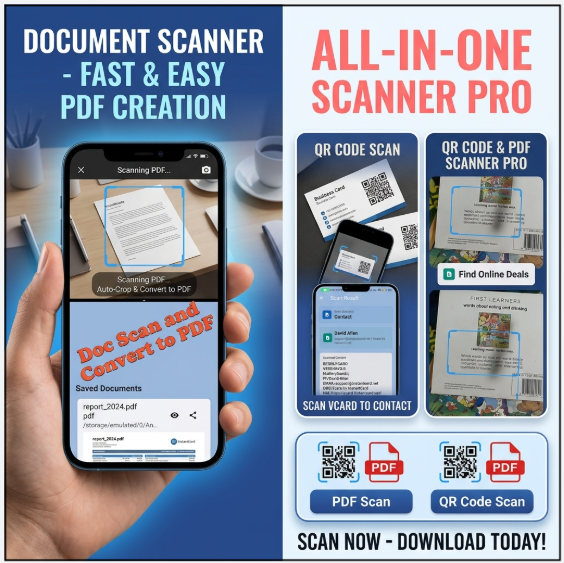
Forget blurry, uneven phone camera snapshots of paperwork. The built-in document digitizer locates paper borders automatically, straightens perspective distortion, eliminates background shadows, and produces crystal-clear multi-page PDFs.
Detects 4 document corners in real-time, eliminating manual cropping steps.
Transforms angled camera captures into flat, crisp rectangular documents.
Magic Color, Greyscale, and High-Contrast B&W remove uneven shadows.
Combine multiple pages, receipts, or invoices into one shareable PDF.
Extract searchable, editable text directly on your device memory.
Your confidential documents, contracts, and financial receipts never leave your device.
Understand how our on-device computer vision engine processes and enhances your physical documents in real-time.
When you focus on a document, the app applies edge-detection algorithms to detect contrasting boundaries between the paper and background surface, calculating the precise 4-point polygon.
The perspective distortion algorithm maps the 4-point quadrilateral to a standard rectangular canvas (A4, Letter, or Legal size), correcting keystoning and skew angles.
Optical contrast filters normalize uneven lighting, whiten background paper noise, sharpen typed typography, and compile clean compressed PDF streams.
| Filter Mode | Image Processing Algorithm | Ideal Document Types | Output File Size |
|---|---|---|---|
| Magic Color | Adaptive saturation & luminance balancing | Color brochures, illustrated contracts, color identity cards, certificates | Moderate (Balanced quality & size) |
| Greyscale | Luminance weighting (0.299R + 0.587G + 0.114B) | Medical records, book pages, printed forms, faded receipts | Compact (30% smaller than color) |
| Black & White (B&W) | Adaptive threshold binary binarization | Printed contracts, handwritten notes, whiteboards, invoices | Ultra-compact (Smallest file size) |
| Original Photo | Raw sensor capture without color transformation | Passports, art prints, photos for archiving | Standard high-resolution JPEG |
No separate expensive scanner app needed. Get complete QR and PDF scanning in one free app.